


How to Access and Transfer Commencement Tickets
Use the Sacramento Kings Ticketmaster webpage to view, print, and transfer your commencement guest tickets.
Step 1: Download the Sacramento Kings + G1C App
Open the Sacramento Kings ticket portal and sign in.

Step 2: Sign In to Your Account
Use the sign in button in the top right corner to access your tickets. Please make sure you sign in using your UC Davis email address. If you no longer have access to your UC Davis email account, please contact [email protected] for assistance before attempting to access or transfer tickets.

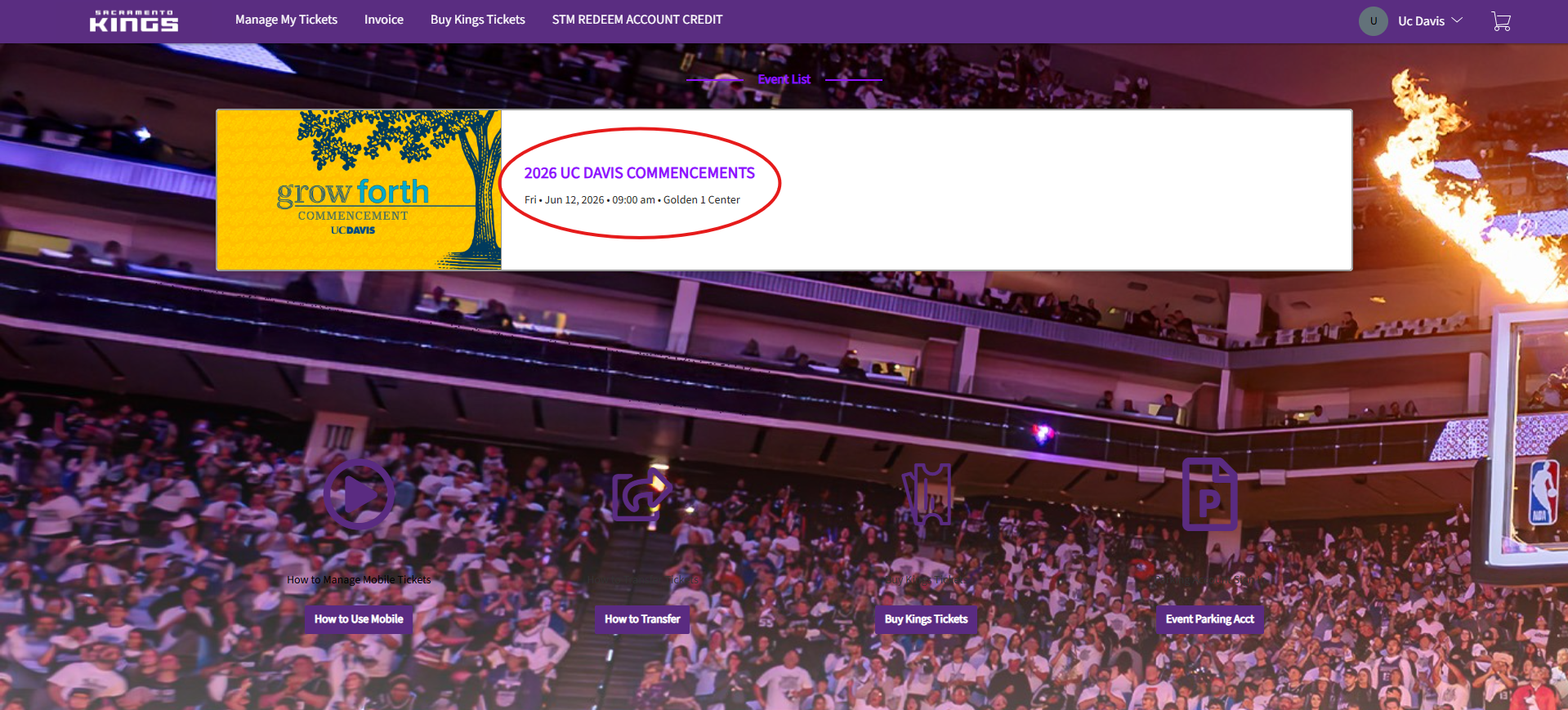
Step 3: Select Your Ceremony
Once logged in, select your commencement event.
Step 4: View or Save Your Tickets
Your ticket page will display your available tickets and transfer options.

Step 5: Transfer Tickets to Your Guests
Click the Transfer button to begin sending tickets to guests.

Step 6: Verify Your Account
Complete the authentication step using a text message or email verification code.

Step 7: Select Tickets and Recipient
Choose which tickets to transfer and enter the guest’s information.

Step 8: Send Tickets
Click Transfer to complete the process.

Once you select Transfer Tickets, you will receive a confirmation message.

Need Help?
Contact us at [email protected] or [email protected].